 YouTubeSFX
Sound Effects for
Unboxing Videos
Camera shutters for the clean product shots, a riser building as you lift the lid, a whoosh and a hit the moment the thing is revealed. The sounds that turn opening a box into a moment. Free, no copyright.
How Unboxing Videos Use Sound Effects
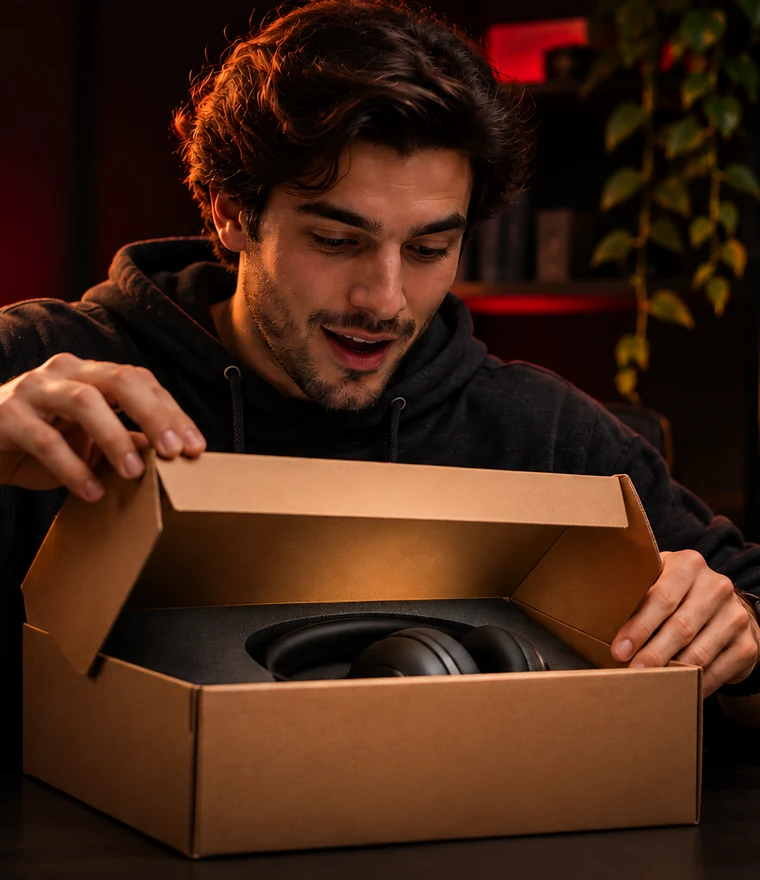
An unboxing video has one job: make the viewer feel the reveal. Everything before the box opens is build-up, and everything after is payoff. Sound is how you sell both. A rising tone while your hands work at the packaging tells the viewer something good is coming. A whoosh and a hit the instant the product is visible makes the reveal land like it matters. Without those cues, even a great product reveal feels flat, like watching someone open their mail.
The other half of a strong unboxing is the product beauty shots, and that is where camera sounds earn their place. A crisp shutter click on a close-up of the logo, the texture, the detail, makes those cutaways feel intentional and premium, the way a tech reviewer frames a phone. You are not filming a real camera, but the shutter sound tells the viewer's brain look at this, it is worth looking at.
Keep the reveal hit bigger than everything else in the video. If your shutters and whooshes are loud, the actual reveal has nowhere to go. Hold the energy back through the build so the moment the box opens feels like the peak it should be.
How an Unboxing Reveal Works, Moment by Moment
Here is the core beat of an unboxing, from the sealed box to the product in hand, with the sound each moment needs. The build matters as much as the reveal.
| Time | What's On Screen | Sound From Pack |
|---|---|---|
| 0:00–0:03 | The sealed box sits on the desk, you introduce it | Voice only, no SFX |
| 0:03 | Close-up on the box, the brand, the packaging | Shutter Click on the detail shot |
| 0:05–0:09 | Your hands start opening the box, lifting the lid | Build Riser climbs under the motion |
| 0:09 | The product is revealed in the box | Reveal Whoosh and Reveal Hit together |
| 0:10–0:14 | Slow beauty shots of the product from a few angles | Shutter Clicks on each angle |
| 0:14 | Cut to you holding it, reacting | A soft whoosh into the shot |
The riser does the heavy lifting here. By building for a few seconds before the lid comes off, it turns a simple box-opening into something the viewer is waiting for. The whoosh and hit on the reveal pay that tension off, and the shutter clicks make the product shots feel deliberate. Drop the riser and the reveal is just a box opening. Keep it and it is a moment.
Where Each Sound Goes in an Unboxing
An unboxing is built around one reveal, and the four sound types in the pack each play a role in building to it and paying it off.
Shutters for the product shots
Every clean close-up of the product, the logo, the texture, the detail, gets a crisp camera shutter. It makes those cutaways feel deliberate and premium, the way a tech review frames a device.
A riser for the opening
As your hands work at the packaging and lift the lid, a riser builds anticipation. This is the part most unboxings skip, and it is exactly what turns a box-opening into a moment.
A whoosh and hit for the reveal
The instant the product is visible, a whoosh layered with a deep hit lands the reveal. The whoosh carries the motion, the hit gives it weight. Keep this the biggest sound in the video.
Whooshes between angles
As you cut between beauty shots of the product, quick whooshes keep the energy moving and the sequence feeling intentional.
Preview the Sound Effects
Curated from the free starter pack
Crisp shutter clicks for product beauty shots and detail cutaways
The build-up as your hands work at the packaging
Transitions between angles and into the reveal
The impact the moment the product is visible
Get the Free Unboxing SFX Starter Pack
40 royalty-free sounds, camera shutters, risers, whooshes, and reveal hits, everything you need to make a box-opening land. Commercial license, no attribution, no recurring fee.
Your download is starting!
Check your downloads folder for YouTubeSFX-StarterPack.zip.
We also sent a backup link to your email.
Three Mistakes That Flatten an Unboxing Reveal
No build before the reveal
If you cut straight to the open box with no riser, the reveal has no tension behind it. A few seconds of a rising tone as you open the lid is what makes the payoff land.
The reveal sound too small
The reveal should be the loudest, biggest moment in the clip. If your shutters and whooshes are just as loud, the reveal has nowhere to go. Hold everything else back.
Shutter clicks on every shot
Camera shutters are for clean, deliberate product close-ups, not every cut. Use them on the beauty shots and the detail cutaways, and let the rest of the video breathe.
How to Add Unboxing Sound Effects in CapCut, Premiere, and DaVinci
Building a good reveal is about layering and timing. The workflow is the same in any editor: a dedicated track, a riser into the reveal, and shutters on the product shots.
CapCut
Import the pack, put a riser on the audio track leading into the moment the box opens, then layer a whoosh and a hit on the reveal frame. Add shutter clicks on your close-ups. The CapCut guide has the details.
Premiere Pro
Use a dedicated SFX track, snap the riser to build into the reveal, and stack the whoosh and hit together on the reveal frame. The Premiere Pro page covers layering.
DaVinci Resolve
Place the riser, whoosh, and hit on the Edit page timeline, then use Fairlight to balance the layers so the reveal hit sits on top. Resolve makes it easy to keep the reveal the loudest beat.
Unboxing Sounds by Type of Product
What you are unboxing changes how the sound should feel. Here is how to adjust the pack for the most common kinds of unboxing.
Tech and gadgets
Tech unboxings are about the premium reveal. Lean on crisp camera shutters for the product shots and a clean whoosh-and-hit on the reveal, the way a tech reviewer frames a new phone. Keep it sleek, not loud.
Subscription boxes
Subscription box videos have multiple small reveals, one per item. Use a light shutter or soft hit on each item as you pull it out, and save the biggest sound for the best item in the box.
Luxury and fashion
Luxury unboxings are slow and deliberate. Use soft whooshes and gentle shutters, and let the product breathe. A heavy, loud reveal undercuts the premium feel; subtlety is the point.
Toys and collectibles
Toy and collectible reveals can be fun and energetic. A bigger riser and a punchy reveal hit match the excitement, and quick whooshes between angles keep a collection reveal moving.
Sound Effects for Unboxing Videos FAQ
Common questions
What sound effects do unboxing videos use?
A riser as you open the packaging, a whoosh and a hit the moment the product is revealed, and crisp camera shutter clicks on the beauty shots. The reveal hit is the centerpiece. The free pack includes all of them.
What is the best sound for a product reveal?
A whoosh layered with a deep hit, landing on the exact frame the product becomes visible. The whoosh carries the motion and the hit gives it weight. Run a riser into it for a few seconds first and the reveal feels earned.
What is the best sound effect for opening a box?
A riser as you lift the lid, then a whoosh and a deep hit the instant the product is visible. The riser builds anticipation and the whoosh-and-hit pays it off. That combination is what makes a reveal feel like a moment instead of just opening mail.
What sound do YouTubers use for product shots?
A crisp camera shutter click. Even though they are not taking a photo, the shutter sound makes a clean close-up of the product feel deliberate and premium, the same way tech reviewers frame their beauty shots.
How do I make my unboxing reveal feel bigger?
Hold back the volume on everything before the reveal, then let the reveal whoosh and hit be the loudest moment in the clip. Build with a riser first so there is tension to release.
Are these unboxing sound effects free for YouTube?
Yes. The YouTubeSFX starter pack includes 40 royalty-free sound effects with a commercial license, no attribution, no recurring fee, and no Content ID claims.